
After recently talking about memory in my computer science class, I became curious as to how copy and paste interacted with the memory of a computer. Like we do with most things concerning computers, we don't really think about what happens when we press command+c, command+v, or command+x (or control+ if you have a PC). Regardless, when these commands are given, the software in your computer goes through a complex game of switcheroo by taking information in one part of the memory and putting it somewhere else.
Your computer's operating system has a "clipboard" where the computer duplicates information that is in one part of memory and stores it in another part. An interesting feature of clipboard is that it is controlled by the operating system, meaning that you can cut, copy, and paste information between applications. So definitely thank clipboard the next time you want to cut a quote from word and paste it on facebook or copy a picture from google and paste it on your next blog post.
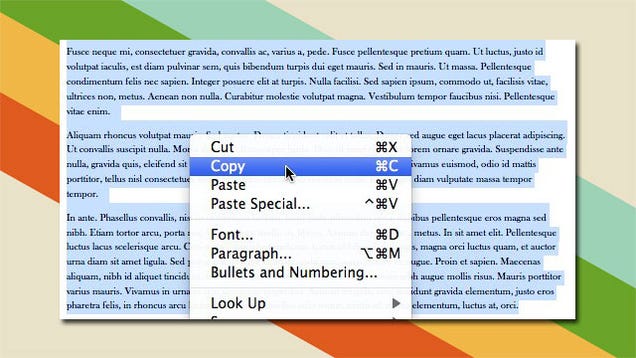
Specifically, cutting involves removing information from a place in memory and then storing it temporarily on clipboard until it is accessed again through the paste function or until something else is stored on clipboard. This is starkly different from copying as copying involves duplicating information in one piece of memory and moving the copy to clipboard. This is different from cutting as the original information is still in its original place in memory. Finally, pasting involves taking the information from its temporary place in clipboard and putting it into a new, more permanent place in memory. And because the information is stored in clipboard, the paste function can access the information multiple times until the information on clipboard is changed.
References:
@computerhope. "What Is Copy?" What Is Copy? N.p., n.d. Web. 23 Sept. 2016.
@computerhope. "What Is Cut?" What Is Cut? N.p., n.d. Web. 23 Sept. 2016.
@computerhope. "What Is Paste?" What Is Paste? N.p., n.d. Web. 23 Sept. 2016.
"PC Help Center." What Is Copy and Paste and How Does It Work? N.p., n.d. Web. 23 Sept. 2016.
Pinola, Melanie. "How to Copy, Cut, and Paste for Beginners." Lifehacker. N.p., 13 May 2011. Web. 23 Sept. 2016.
"Work From Home Opportunity - CopyPasteProducts.com."CopyPasteProductsCom. N.p., n.d. Web. 23 Sept. 2016.

I was really curious about how those functions/shortcuts work as well!! During the class, we talked about CPU (hardware) as a means of storing data and as a core function of computers. As you said in the blog, when we copy/paste data, we use clipboard (software) which is often used as short-term data storage and/or data transfer between documents or applications. Clipboard is located in the computer's RAM (Random Access Memory) and it can temporarily store information including texts, images, and files. In contrast to CPU that stores information permanently, all of the information stored in clipboard will be completely erased when you shut down the computer. Read more about clipboard at this link: data.https://www.techopedia.com/definition/4646/clipboard
ReplyDeleteIt is awesome to see such a normal thing we do everyday broken down into how it operates. Does the copy that is stored in the clipboard get stored somewhere else, or does it get discarded? Also does this work differently on other operating systems like IOS, MacOS or Windows or even Ubuntu?
ReplyDelete